Watching the right places
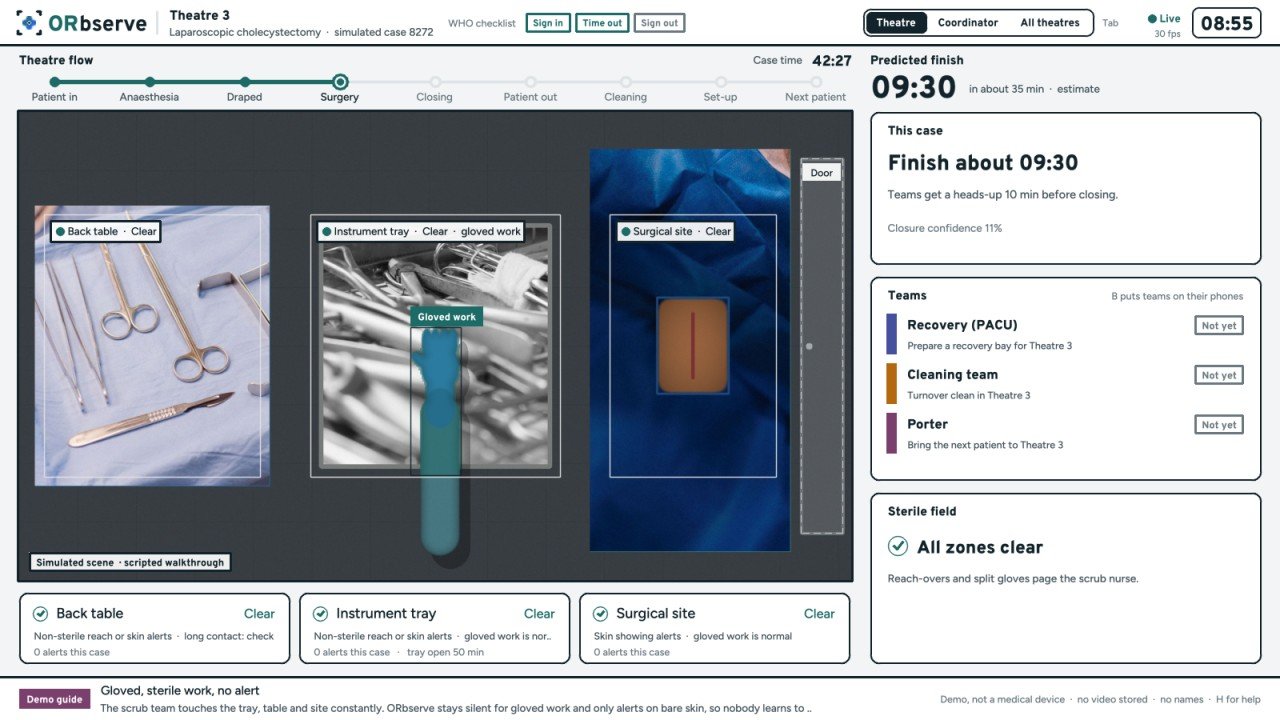
When ORbserve is set up, the instrument tray, back table, surgical site and door are marked on screen. Everything else in the room is ignored.
ORbserve has three parts that work together: a camera unit in the theatre, an app on each team's phone, and a workspace for the theatre coordinator. Follow one changeover through all three.
See how it fits togetherEverything runs on equipment we bring into the theatre. Nothing is installed on hospital computers, and nothing connects to the hospital network or the patient record.
The camera unit watches a few marked areas, not people, and turns what it sees into events and times.
When ORbserve is set up, the instrument tray, back table, surgical site and door are marked on screen. Everything else in the room is ignored.
Patient in, anaesthesia, draped, time out, incision, closing and patient out are timestamped as they happen. Staff can correct any step by hand.
Signals such as the count at the back table and the dressing going on build up into a prediction, so the next teams get a few minutes' notice.
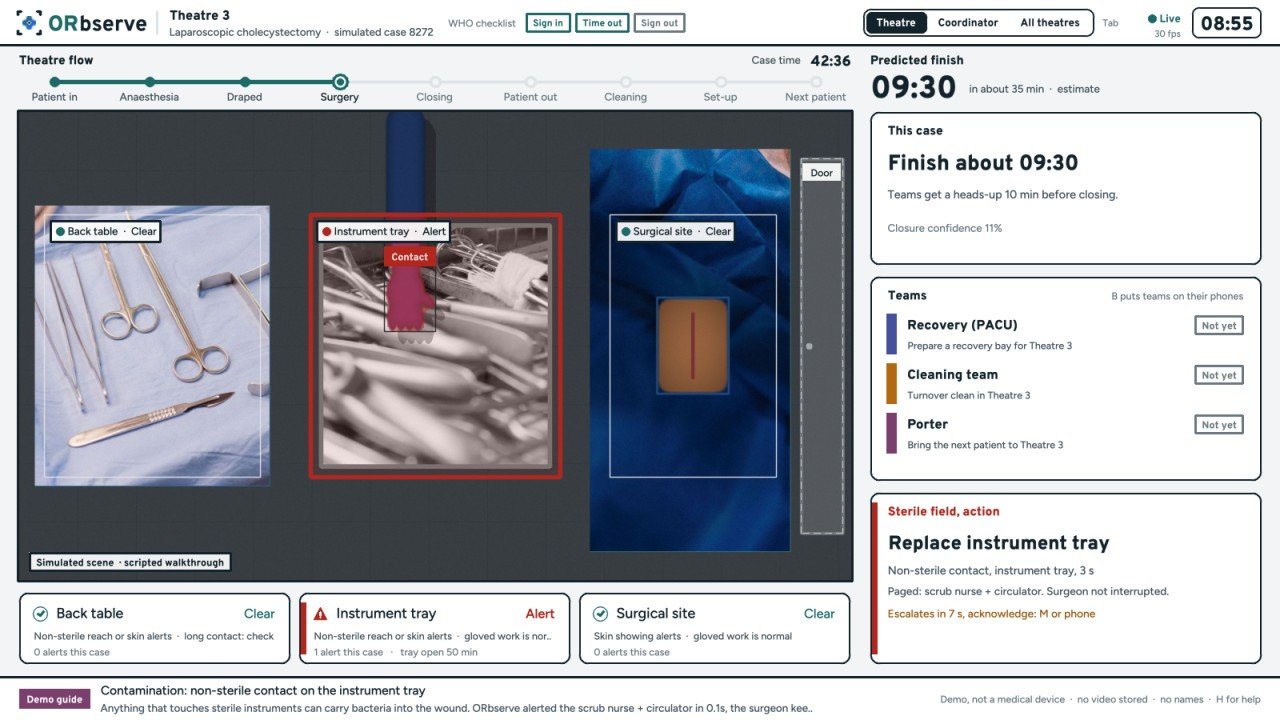
If something non-sterile touches the tray, table or site, the scrub nurse is paged, never the surgeon. In a pilot these alerts are only logged.
01 / 04 · Theatre view, simulated
Each team gets only its own calls, on its own phone. One tap answers, so the coordinator can see who is on their way.
When the camera sees the case closing, the circulator is asked to confirm. A person always makes the call, never the camera alone.
Recovery, cleaning and the porter get their call at the same moment, with what they need: the bay, the theatre, or the ward and bed to collect from.
Each team taps to say they are on their way. If the porter hasn't answered, the coordinator can chase it straight away.
The changeover clock starts when the patient leaves. Cleaning, set-up and next patient in are ticked off as the camera sees them.
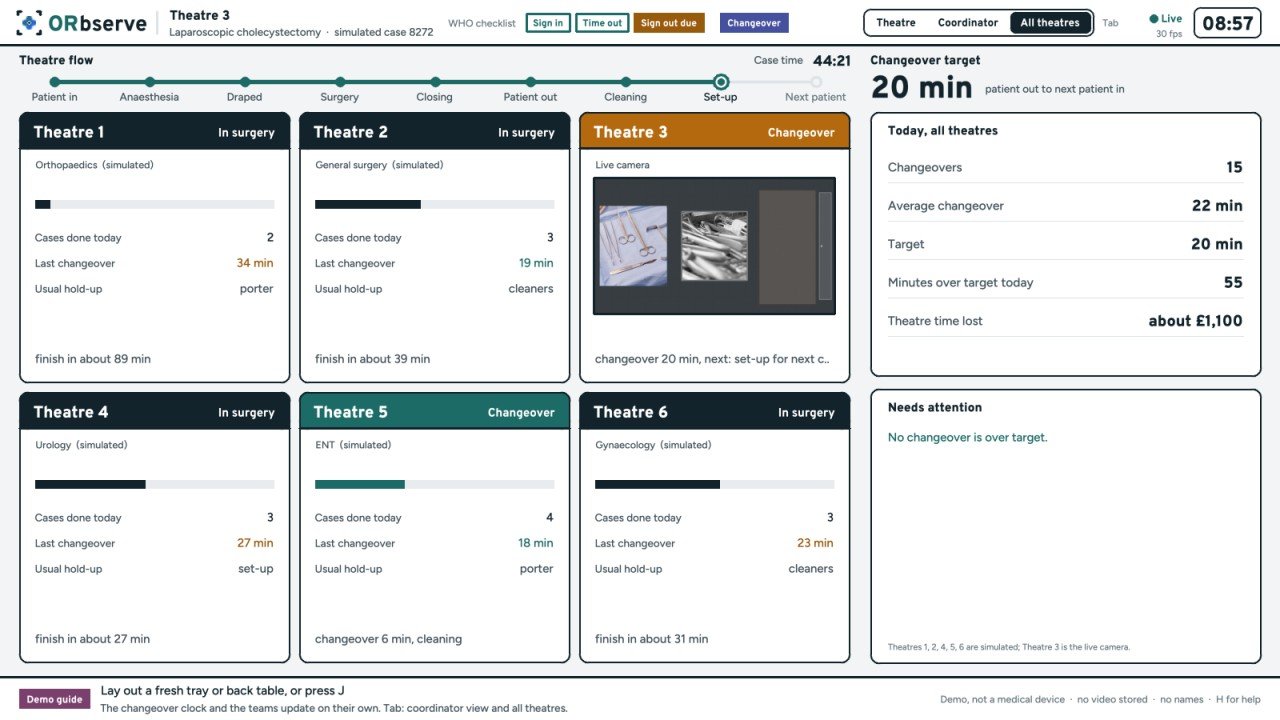
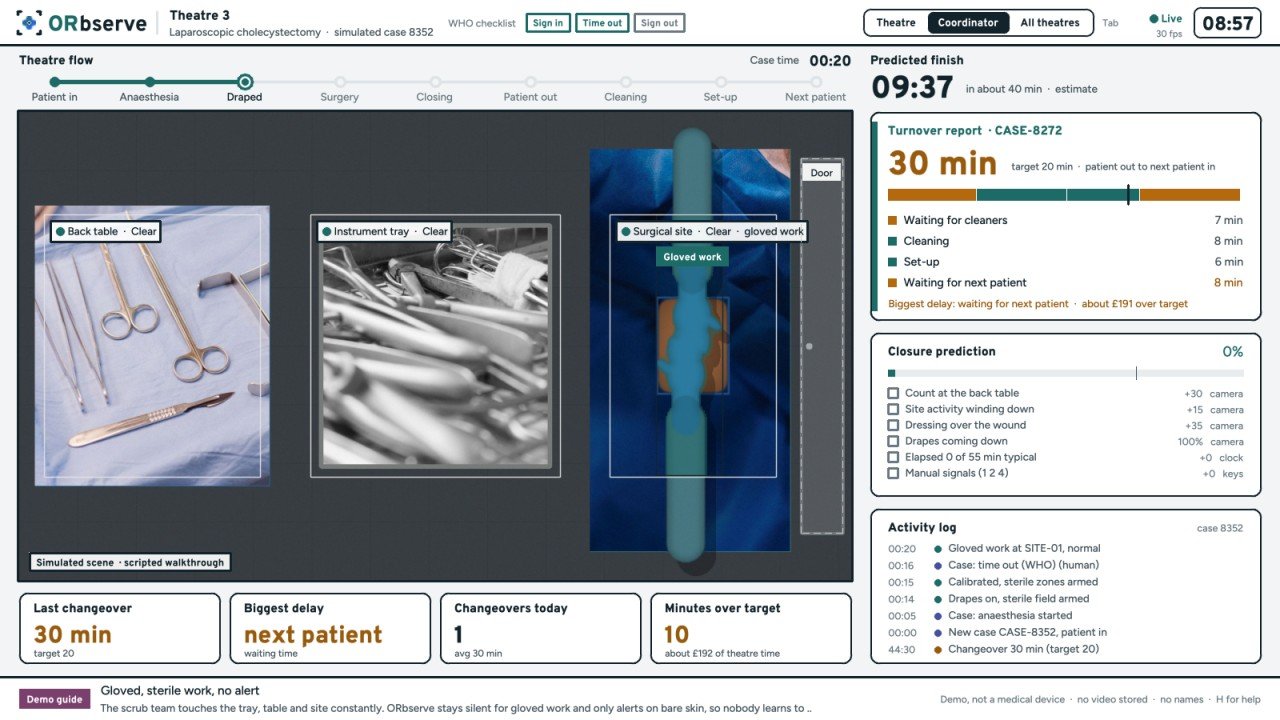
01 / 04 · Example screens, fictional names
The same event times feed one screen for the theatre coordinator, and a report after every changeover for the theatre manager.
What a pilot theatre gets, and what is still being built.
One camera and a small computer in the theatre. Frames are analysed there and discarded; no video is stored.
Calls for recovery, cleaning, the porter, the circulator and the scrub nurse, answered with one tap.
Every theatre's status in real time, with late changeovers flagged before they become late lists.
The length of every changeover and what it was waiting on, plus the standard case timestamps.
Predicted case and changeover times from your own theatres, overrun warnings and waiting-list suggestions.
Pages the scrub nurse when something non-sterile touches the tray, table or site. Logged only during a pilot.
A 20-minute video call, and time to talk through what a pilot in your theatre would involve.
Request a demo